Tuesday, August 25, 2015

The Lightning Experience - A New Salesforce


Tonight, Salesforce announced something big - a whole new Salesforce user experience.   If you missed the global preview that included live viewing parties across the world, you can check out a recording. Or keep reading to learn about the changes and what it means to you.

Salesforce has been on a three year engineering mission that started with reimagining the mobile experience in 2013 with Salesforce1 mobile and the platform in 2014 with Salesforce Lightning. This year, attention has turned to the user experience, with an emphasis on the Sales Cloud.

What's New


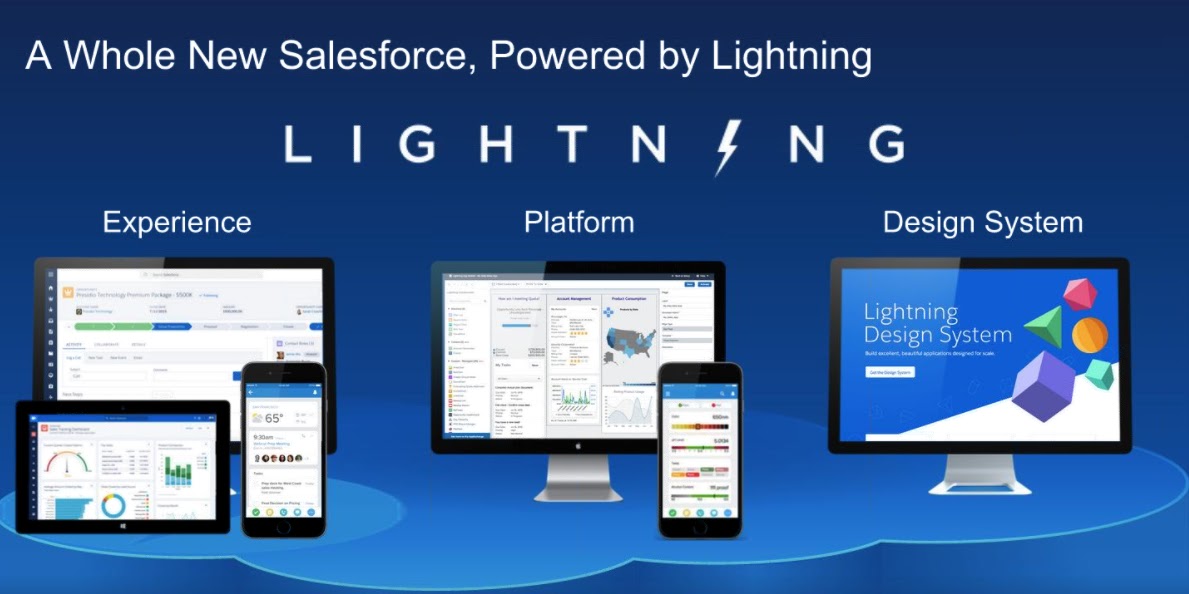
Simply put - a whole new user experience, a whole new way to sell.  The new experience is designed so you can sell faster, sell smarter and sell the way you want.  Take a look at a few sample screens from the new experience - Home page, Opportunity Pipeline Board, Opportunity Details and Dashboards.


The home page quickly displays key information that a sales rep needs to manage their day.  A quarterly performance chart that shows performance towards goal.  The Assistant section on the right identifies key actions to take, such as overdue tasks.  The Account Insights section brings in key information about the accounts you are following.

On the left, is an omni-present navigation menu to quickly move through the app.  Simply click on the three bars to expand and collapse the menu.  Search is now top and center allowing quick and easy search across all of your records.


The Opportunity Board is an exciting new adding coming in Winter '16.  With a new Kanban board view, you can easily see all of your open opportunities, their stages, value and key information.  The totals for each stage is summarized at the top.  Best of all, you can drag and drop an opportunity from one stage to another and watch it update in real time!


Drilling into an Opportunity, key information is located at the top of the page.  Next Sales Path is front and center with the progress pill.  Users can see what stage in the sales process and have guided selling options.  Activities such logging a call, creating a task or an event are available with a few clicks.  An Activity Timeline of past activity and upcoming Next Steps display below the activity section.  As you can see, hovering over related objects like an Account provided additional details.


For the dashboard lovers out there, take a look at the new page in the Lightning Experience.  You now have the ability to control the sizing of charts on the Dashboard, including having more than three reports!  You can easily drag and drop on reports and re-size based on your needs.

What Does It Mean for You


After seeing the Lightning Experience, the most common question is how can I get it.  The Lightning Experience is coming with the Winter '16 release.  Inside of an Org, an administrator has the ability to enable the Lightning Experience (Setup | Lightning Experience | Enable the New Salesforce Experience).

Then you have the ability to assign the Lightning Experience User to either a profile or permission set.  Keep in mind that standard profile will automatically receive this permission, but you will have to add it to custom profiles.  This enables a phased roll-out to improve adoption rates and manage change.

With this release, the Sales Cloud is the focus for the new experience.  So if you are using Service Cloud, you will still use the classic experience.  In addition, there are exclusion from the new experience such as the Orders object.  Finally, if you are using Person Account, the new experience is not supported, yet.

No need to worry if you are not ready to migrate.  The classic user interface will be supported for some time.

How to Learn More


There are numerous resources available where you can learn more about the Lightning Experience. Check out the following resources:

* Aug 26 update - added link to recording

Wednesday, August 5, 2015

Trailhead: One Year (Almost) Later

rtaImageOne of many exciting announcements coming out of Dreamforce ‘14 was the introduction of TrailheadSalesforce introduced its new guided learning platform, which combined educational material with interactive tutorials.  Best of all, you track your progress through points and badges adding a gamification element to learning.

Trailhead is Born

Since its launch with three trail trails and a handful of modules, it seems nothing can stand in the way of Trailhead’s continued growth.  While its initial focus was on developers, the most recent update this week eliminates any doubt that Trailhead is the learning platform for all.  Newly released modules and trails cover CRM Basics, Accounts & Contacts and Leads & Opportunities.  While prior updates have included Administrator focused content as well Beginner and Intermediate, this update seems to be the start of something more.

Learning for All

Looking forward, I would not be surprised to see more content focused across a wider audience within Trailhead.  The first hints of this come with the new Dreamforce Trail which helps you get ready for Dreamforce ‘15.  In a year from now, we will probably be talking about Trailhead being the one stop shop for learning everything about Salesforce and bemoaning how tough life was BT (Before Trailhead).

My Trailhead Addiction

I have to admit, I am a certified Trailhead addict and try to jump on the modules as soon as they come out. There are a couple of mobile modules and project that I have yet to complete.  However, I have blazed all of the other trails, including the the new modules that were recently released.  Let’s take a deeper look at a module that I particularly enjoyed in the new release – Event Monitoring.

Trailhead’s Event Monitoring Module

The Spring ‘15 Release introduced a new Event Monitoring API that enables access to the same information Salesforce has to understand how your Salesforce Org is being used.  Access to the insight in these events makes it easy to identify abnormal patterns and help secure your data.  The module has three challenges to it. 

The first is Getting Started with Event Monitoring, which provides an overview of the feature, what can be tracked as well as several use cases for event monitoring.  Event monitoring provides tracking for over 29 different types of events including:

  • Logins
  • Logouts
  • URI (web clicks)
  • UI (mobile clicks)
  • Visualforce page loads
  • API Calls
  • Apex executions
  • Report exports

With all this detailed information at your fingertips, on possible use case is to monitor for data loss.  For example, when a sales person leaves, use event monitoring to look for any abnormal report export activity to prevent your customer list from landing with a competitor.

Query Event Log Files is the second challenge in the module.  Once you have the correct permissions to use event monitor, head over to Workbench to use the SOQL Query Editor or REST Explorer to take a look at events in your org.  While both SOAP and REST APIs exist to query event log file, there are key differences which the unit helps explain.  I especially like the REST examples and results presented in Trailhead. With REST you can query for a Log File ID and then return a CSV of the results.

/services/data/v34.0/query?q=SELECT+LogFile+From+EventLogFile
/services/data/v34.0/sobjects/EventLogFile/<id>/LogFile

The last step to earning your Event Monitoring Badge is the Download and Visualize Event Log Files challenge.  There are multiple methods to downloading Event Log files, including a browser app (check out the module for full details).  Once you have the data in hand, you can use your favorite tools to analyze and chart trends over time.


While I have no doubt Excel and Google Docs will be popular choices, I love the option to push the data into the Salesforce Analytics Cloud.  You have the benefits of a platform built to explore data and unlock insights.  Best of all, as another Salesforce cloud, it is easy to share results with the rest of the team.  For example, I pulled out the event log for API calls, loaded them into the Analytics Cloud and reported occurrence by IP address.


API_by_IP


What Will You Learn Next


By now, I hope you are as excited as I am to learn something new.  Head on over to Trailhead, pick a module or trail and expand your knowledge today.

Saturday, August 1, 2015

My IoT Adventure

I recently ordered a set of littleBits, to get the kids involved with some basic circuitry (need to put the old computer engineering degree to use now and then). I couldn’t resist the cloudBit kit, with its ability to connect what we built to the internet.  It also helped that the Bit Olympics were about to begin.  A three week competition to improve sports through technology was a perfect opportunity to share our project with a community.

The sport we selected for our project was ice hockey.  Previously, the kids and I had worked on a Lego model of our minor league hockey team.  A new area had been built and the puck dropped on the inaugural season for the Lehigh Valley Phantoms last fall. After attending a game, my son was set on building a replica of the PPL Center out of Legos.  Since there is not a packaged set for this, it was a free build extraordinaire.

With our medium set, it was on to building out our littleBits circuit.  There are certain traditional aspects of sports that should not be messed with.  In our case, the horn and red light when a goal is scored.  We kept those in place with a long led and buzzer from the littleBit collection.  However, we improved it with the cloudBit. With a motion trigger in the goal, followers receive a text whenever a goal is scored.  This is accomplished with a a simple IFTTT recipe that we wrote as the standard library did not have what we wanted.

You can check out our complete entry or the video of the working project.

Check out all the entries a the projects site, as well as the grand bitOlympian and other winners.  So I can now say I have officially arrived on the Internet of Things.

Tuesday, July 14, 2015

What’s New in Salesforce Wave Summer '15 Plus Release

For those of us that are working with Salesforce Wave, it is an exciting week.  The Summer ‘15 Plus release hits this week – Sandboxes on July 14 and Production on July 15.  As with other Salesforce Clouds, Salesforce Wave follows the normal Spring, Summer and Winter release schedule.  As a an emerging technology, we receive three additional Plus releases for double the innovation and new features.  Here is an overview of what we are getting.


Analytics Playground

If you have tried the Analytics Playground yet, now is a great time to try it out.  You can go through a tutorial and try out Analytics Cloud features.  Best of all, you can even start exploring your own data.  This can be an Excel or CSV file you upload or a Google doc you connect to.  Now, you can even connect to your Salesforce org and select an available report that you have created.  Nothing compares to analyzing your own data in the playground!


Wave Dashboards in Salesforce

The integration between dashboards in Wave and your Salesforce is even tighter.  The ability to add Dashboard to page layouts has gone GA.  On Page Layout using the Enhanced Page Layout Editor, there is an Analytics Cloud Assets section that list available dashboards.  After dragging a dashboard to a section, use Properties to control the Width & Height as well as set Show Title and Hide on Error settings.


Additionally, there is now a <wave:dashboard></wave:dashboard> tag that can be embedded in Visualforce pages.  For example, display a dashboard on the home page with the following,
<wave:dashboard dashboardId="{dashboard id}" height="400px"></wave:dashboard> in a


Quick Actions in Lenses & Dashboards

The tighter integration also extends inside the Analytics Cloud.  From attributes on Lenses & Dashboard there is now access to Quick Actions.  This allows users to initiate actions such as opening records or creating objects in Salesforce, directly from Wave.  Quick actions include:

  • Open Record
  • New Task
  • New Event
  • New Contact
  • New Case
  • New Note
  • New Opportunity
  • Links outside of Salesforce

  • Post to Chatter

    Chatter is also included in the integration party.  From a Wave dashboard, a Chatter post can be created that includes both the dashboard image and a link to the dashboard.  Users can access the image within Chatter to see the dashbaord details and then us the link to dive into the analysis.

    Sales Wave (Pilot) & Service Wave (Limited Pilot)

    As getting started with Analytics can be daunting to many, Salesforce is releasing targeted templates to get you started.  These templates contain the components needed to answer common questions.  The Sales Wave App gets you running in about the time it takes to get a coffee.  After answering a handful of questions presented in a wizard like interface, an Analytics Cloud App is created along with the datasets, data flows, lenses and dashboards to analyze the sales side of your business from any device.

    Sales Wave enables you to review and analyze your Forecasts, Pipelines, Team Coaching and an overall Business Review.  All of the topics are personalized based on the questions you answered.  For example, if you pick Industry as your primary method of Account segmentation, it is an available filter in the dashboard.  Best of all, the data is refreshed daily which lets you keep a pulse on your business.  A similar, but much more limited pilot, is underway to pull in data from the Service Cloud for analysis.

    Limit Changes


    Summer ‘15 Plus included increases that allow additional data loading.  The maximum number of dataflow jobs in a rolling 24 hours has been increases from 10 to 24.  This is a welcome improvement, as both failed and successful jobs count towards the limit.  When working to get a data extract right, I have hit this 10 data load limit before.  Additionally, the maximum number of external data uploads in a rolling 24 hour period has increased from 20 to 50.

    Several new or changes limits also come with Summer ‘15 Plus.  First, there is a maximum amount of external data to load, which is set to 50 GB.  Finally, the maximum length for dataset field names based on a CSV file has been decreased to 40 characters from 255.  This is a important change to take note of, as it can affect your datasets.

    SAQL Enhancements

    For those of us that push the Analytics Cloud to do more by writing SAQL, take note of the Use More Robust Syntax feature.  This release introduces more robust syntax checking to prevent errors when executing SAQL code, which is a nice improvement.  However, the changes may break existing SAQL code, which requires you to review and update your code.  Be sure to check out the release notes for full details of what has changed.  All of the breaking changes are called out.

    • min() and max() functions only take measures as arguments
    • Can't group a grouped stream
    • Can't reference a pre-projection ID in a post-projection order
    • Can't have two consecutive order statements on the same stream
    • Quotations mark rules applied consistently
    • Changes to foreach statement
    • count() function takes grouped source stream as an argument
    • SAQL queries must be compositional
    • Filtering an empty array returns and empty result
    • Explicit stream assignment required
    • Out of order range filter returns false


    What’s Next

    With all the new features in Summer ‘15 Plus, it’s exciting to be working with the Analytics Cloud.  I am excited to see tighter integration with Salesforce.  Now when an analysis finally finds the data in need of attention, you can quickly and easily take action.  What’s your favorite new feature?

    Tuesday, July 7, 2015

    Salesforce Certification Changes

    SalesforceU


    You may have heard about new Salesforce certifications.  If you are curious about what it coming, I will break down the details.  In summary, new certifications are on the way in the Marketing and Developer areas.  Let’s start with the changes in the Developer area first.

    Current Developer Certifications

    When I first started working with Salesforce, I found the concept of a Developer somewhat confusing.  When working with other technologies, Java, Microsoft.Net, Oracle, etc., a Developer was always someone who programmed by writing code.  While this is true in the Salesforce world, there is also the ability to create something new without programming.  Other platforms do not have the concept of declarative development, so this is unique.  

    Looking across other platforms, Administration universally refers to the process of running a system.  It does not refer to creating something new, as declarative development enables.  So declarative development would not fall under Administration. 

    From the Salesforce perspective, it makes perfect sense to combine both declarative and programmatic development under the Developer umbrella.  Looking at the current certification tracks, becoming a Certified Developer exam covers the declarative aspect of the platform and does not include any programming. This certainly creates confusion for those outside the Salesforce world, and even some within.

    While Advanced Developer does cover the programmatic aspects of the platform, it presents its own challenge.  First, Advanced Developer is not a widely held certification, yet is the only representation of programmatic development skills.  One of the hurdles to certification is the programming exam, which is only offered four times a year for up to 200 participants as the assignment is hand scored by multiple evaluators.  This leads to a significant backlog of candidates and multiple months of wait time. 

    Compounding the problem, Salesforce has not even offered the programming assignment since December 2014. (Yes, I am keeping track as I passed the exam in early December and have been waiting ever since.)  All of these factors creates confusion in the marketplace around what is a Developer and the skills they posses. 

    New Developer Certifications

    With three new certifications, Salesforce is acting to remove all confusion.  First, Salesforce Certified App Builder bridges the gap between an Administrator and a programmer.  It covers designing, building and implementing new custom applications using the declarative aspects of the platform. 

    Next, two programmatic certifications cover basic and advanced levels of programming skills.  Salesforce Certified Platform Developer I is meant to show ability to extend the platform through Apex and Visualforce.  Salesforce Certified Platform Developer II is all about going deep with the programming on the platform, including advanced topics.

    More details on each can be found at on Salesforce’s site.  App Builder and Developer I are currently going through beta testing and should wrap up around July 10.  Unfortunately the beta program is full for these exams.  Certified Platform Developer II will have beta exams starting at the end of July.  It appears invitations are going to those who currently hold Advanced Developer Certification.  Hopefully, we will hear more details on general availability in August or Dreamforce ‘15 at the latest.

    Marking Cloud Certifications

    At the end of last year, Salesforce introduced Pardot Consultant certification.  While Pardot has since been moved under Sales Cloud, it still is all about Business to Business Marketing Automation.  Now Salesforce is expanding certifications to the Marketing Cloud.  Two new certification tracks have been announced within the Marketing Cloud, focused on users that build, manage and analyze either Emails or Social within the Marketing Cloud.  While there are overview details on the certification site, the study guides and recommend online trainings have yet to be announced.

    Future Certifications Predictions (Safe Harbor)

    If I look into my crystal ball, I don’t think this is the end of the new certifications from Salesforce.  Based on my Analytics Cloud Brown Belt Accreditation training in April, there were indications of a future certification in this area.  I would also not be surprised to see a user focused certification within Pardot, just like with the Marketing Cloud. 

    Finally, the Certificated Technical Architect track has similar obstacles as the Advanced Developer.  A low number of certified individuals, long wait times for review boards and from what I have heard relatively low pass rates.  If we apply the changes from Advanced Developer to Platform Developer, a Technical Architect certification path with multiple levels and steps along the way would make sense and resonate with the market.

    Personally, I look forward to putting my skills to the test with these new certifications once they are available and will be sure to share my test taking experiences.

    Wednesday, June 24, 2015

    Salesforce Analytics Cloud Explained

    Salesforce made a splash at Dreamforce ‘14 with Wave and there has been a lot of excitement on topic since then. Couple frequent releases of new Analytics Cloud innovations with limited access to a developer environment means confusion still persists.


    Analytics Cloud vs. Wave

    A good place to start is the difference between Analytics Cloud and Wave. While many times, these terms have been used interchangeable, there are key differences. Wave is the platform while Analytics cloud is the product. A good analogy to draw is Sales Cloud and Service Cloud are products that run on the Salesforce 1 Platform. So let’s take a look at the features of each.


    Wave

    As the underlying technology platform, Wave is a schema free, non-relational database. Consisting of columnar based key-value pairs, Wave relies on search based technologies and inverted indexes to quickly deliver results. While that’s a lot of big data buzz words, what it means is Wave it not like your traditional data warehouse. It is built to handle large volumes of structured and unstructured data to quickly provide results based on search queries. If you would like to learn more, take a look at Redis, which a data structure server that will help you better understand Wave.


    Analytics Cloud

    As the flagship product on Wave, Salesforce Analytics Cloud is a mobile-first solution that allows data to be sourced from multiple locations, manipulated in real-time, and shared with other users. The key elements the Analytics Cloud delivers are the following:

    • Explore – allows everyone, not just data analysts, to find answers in data
    • Collaborate – one place for users to get and share answers on the business
    • Cloud – as a native cloud solution, it is up and running quickly, easily scales and one source of the truth
    • Mobile – all the answers you need in the palm of your hand


    Learning More

    To learn more about the Salesforce Analytics Cloud, check out the following resources. As part of a recent Lehigh Valley Salesforce Developer User Group, I explained the Salesforce Analytics Cloud, including a demonstration of the technologies. The presentation can be found on Slide Share while a recording  of the session is available on YouTube.

    Monday, June 15, 2015

    Setting Up Lightning Connect in Salesforce

    Salesforce Lightning Connect
    Now it's time for the fun part of trying to get Microsoft Dynamics AX 2012 data into Salesforce.  My previous post covered the details of setting up the OData Service In Dyanmics AX.  With an external, https URL to our Dynamics demo environment in hand, it only takes a couple of clicks, and no code, to setup the connection.

    External Data Source

    First an external data source needs to be setup in Salesforce.  This is done from Setup with the following steps.  If you would like to learn more on Lightning, check out the Lightning Webinar Series.
    • Go to Setup | Develop | External Data Sources and click New Data Source.
    • Provide a label and a name.  I used DynamicsAX for both values
    • From Type, select Lightning Connect: OData 2.0
      • Take note of the 2.0, as this is the minimum OData version that Lightning Connect supports
      • There may additional options, especially if in a Summer '15 or higher org, which introduced the ability to create Lightning Connect Custom Adapters
    • After selecting this option, additional Parameters are available
      • URL - the Dynamics OData Source in the form of https://<host>.<domain>:8101/DynamicsAx/Services/ODataQueryService/
      • A series of options, which the default values are okay
      • Format - our source is AtomPub
      • Special Compatibility - Default is appropriate
    • Authentication details for our source must be specified
      • Identity Type - Name Principal to specify a static username/password to Dynamics AX
      • Authentication Protocol - Password Authentication
        • Supply the Username and Password to use to connect
        • As we are providing credentials, our URL must be https
    • After Saving, there is an option to Validate and Sync
      • Salesforce has made quite a few improvements between Spring '15 and Summer '15 in this area. 
        • When testing in Spring '15, I had cases where no error messages were displayed or only generic messages.  
        • After the Summer upgrade, I saw more consistent messages with additional details to help troubleshoot.
      • Ensure you have a valid SSL certificate, or you will not be able to validate and sync
    • A list of OData tables is presented to sync.  In my case, I selected ListofUSStates.  This is a simple listing of the US States and Names used in Dynamics. 

    External Objects

      Now, the selected External Objects can be modified.  In order to make the object more useful within Salesforce, a few properties can be adjusted.  A meaningful label, like US State and plural version can be specified.  I kept the other options at default values until I proved out the concept.

      Custom Tab

      The only task standing in the way of viewing the Dynamics AX data is creating a custom tab to view the list of records.  Go to Setup | Create | Tabs and click New.  From the Object tab, select US States, pick a Tab Style.  Select the Profiles to show the tab in as well as the app. Save the new tab and its time to see our data.

      Success…?

      Now navigate to the newly created tab.  Then, simply click Go next to the All view and voila.....wait a minute what is this error message?
      Here is another case where I received more detailed error messages with Summer ‘15.  Spring ‘15 simply told me there was an error and to contact my admin.  The DataServiceProtocolVersion of v1 does not look promising, time for some more research.

      We Have a Problem

      First stop, was OData.org to check out the spec.  DataServiceVersion is defined in the Service Metadata Document and indicates the version of OData used.  So now to inspect the metadata for our Dynamics AX source.  This can be done by adding /$metadata to the end of our base URL.
      metadata
      Hmm…DataServiceVersion = “1.0”, which does not look good.  Let’s try a few of the OData URI Conventions that should be supported like $select to specify columns to return. This can be done by adding ?$select=<column> name to the end of the ListOfUSState URL - https://<host>.<domain>:8101/DynamicsAx/Services/ODataQueryService/ListofUSStates?$select=LogisticsAddressState_1_Name.  Unfortunately, we run into the same error as before.
      error2

      Conclusion

      At this point, I am reasonably certain Dynamics AX 2012 is OData version 1.0 and Lightning Connect requires 2.0.  Just to leave no stone uncovered, time to call in the big guns and verify with Salesforce Product Management.  After taking a look at my setup, they reached the same conclusion that Dynamics AX 2012’s OData 1.0 version was not supported.

      What I did learn from the Product Management team is that Summer ‘15 loosened some of the restrictions on OData 1.0 implementations.  Rather than immediately excluding the service based on the version, Lightning Connect will attempt to use the service. Only if the service does not support the necessary conventions, like $select, will it fail.  This can be useful in cases where DataServiceVersion is not specified, as the OData spec indicates that version 1.0 should be assumed.

      While I did not end up with Dynamics data available in Salesforce via Lightning Connect, I did learn a lot along the way.  Once you have an OData source available, setup in Salesforce is fast and easy.  I am looking forward to the next attempt to use Lightning Connect.  Besides, there are a lot of other ways to get Dynamics data into Salesforce.